 C++ Basic Syntax and Debug

#include <iostream>
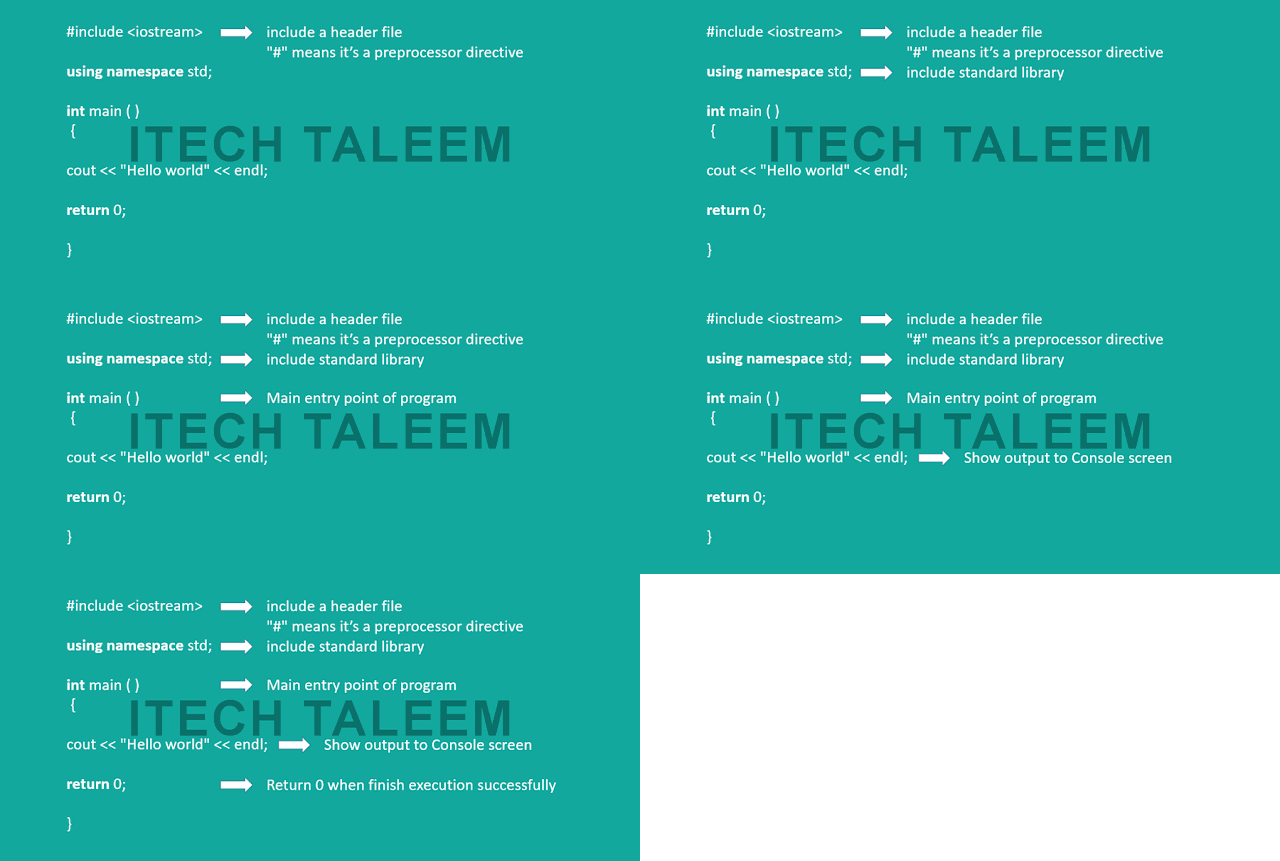
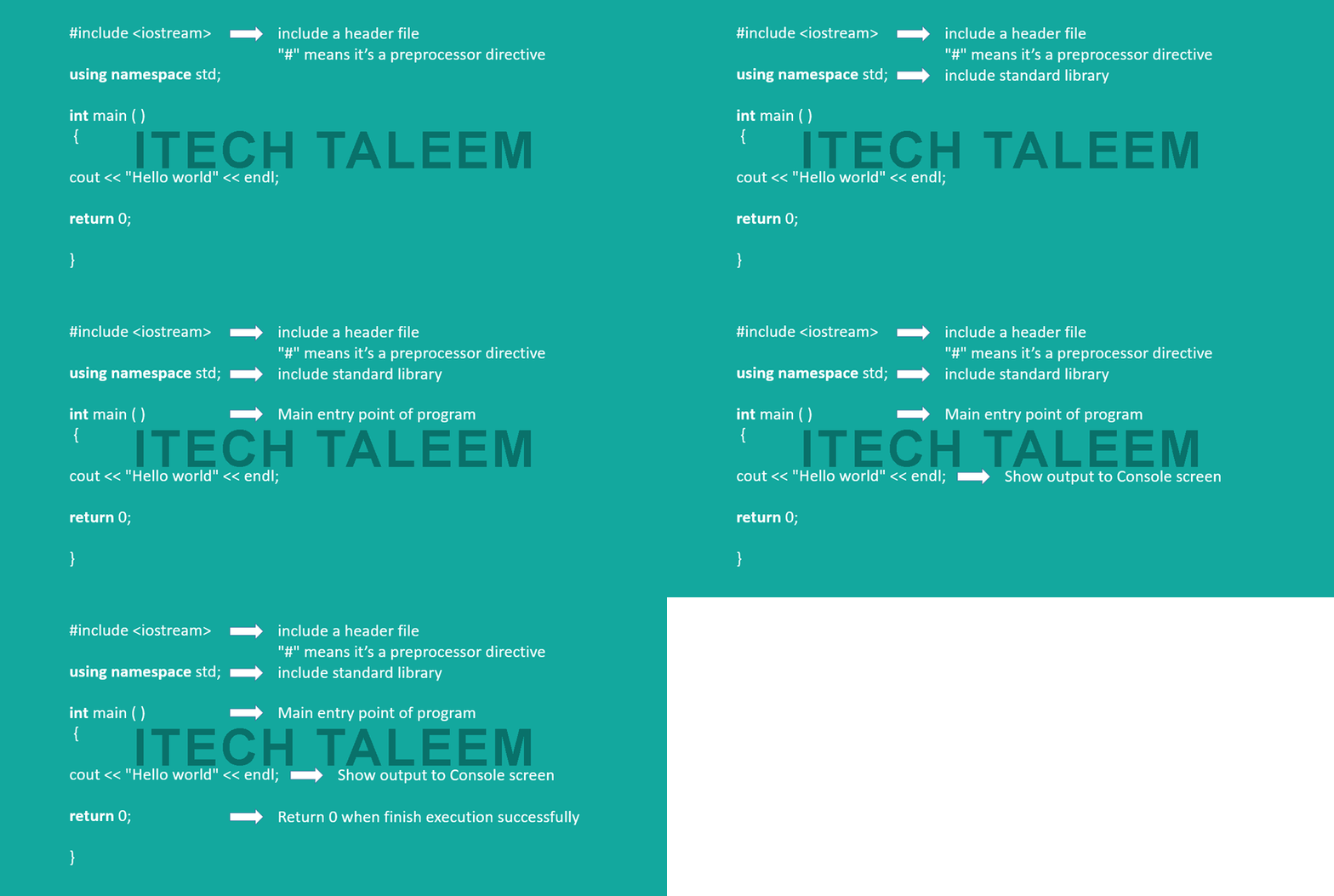
this line include header file of input output.it's mean we need to perform input output tasks and we need to tell compiler we want to use it.#
means preprocessor directive these are well defined directives it's means it's already declared we just need to utilize it in our program.
using namespace std;
this line use to include the standard library support in our program
int main()
every project have one entry point when we run or debug a program it'll execute main() function.
Return type of main() is int that's why we did return 0; at the end of the program.
cout
cout use to print output of our program on console
<<
<< is used to write to standard output.insertion operator pointing toward cout
"Hello world"
it's a string going toward cout << "Hello world" using insertion operator
endl;
endl;
endline:it'll flush your stream and transfer control toward next line
- #include <iostream>
- using namespace std;
- int main(){
- cout << " Hello World " << endl;
- return 0;
- }
Thank you so much for the good article. In this article, I got a lot of knowledge.
ReplyDeleteQTP Training in Chennai
QTP Training Institutes in Chennai
QTP Training in OMR
LoadRunner Training in Chennai
performance testing training in chennai
DOT NET Training in Chennai
.net coaching centre in chennai
Html5 Training in Chennai
Great Article
ReplyDeleteData Mining Projects
Python Training in Chennai
Project Centers in Chennai
Python Training in Chennai